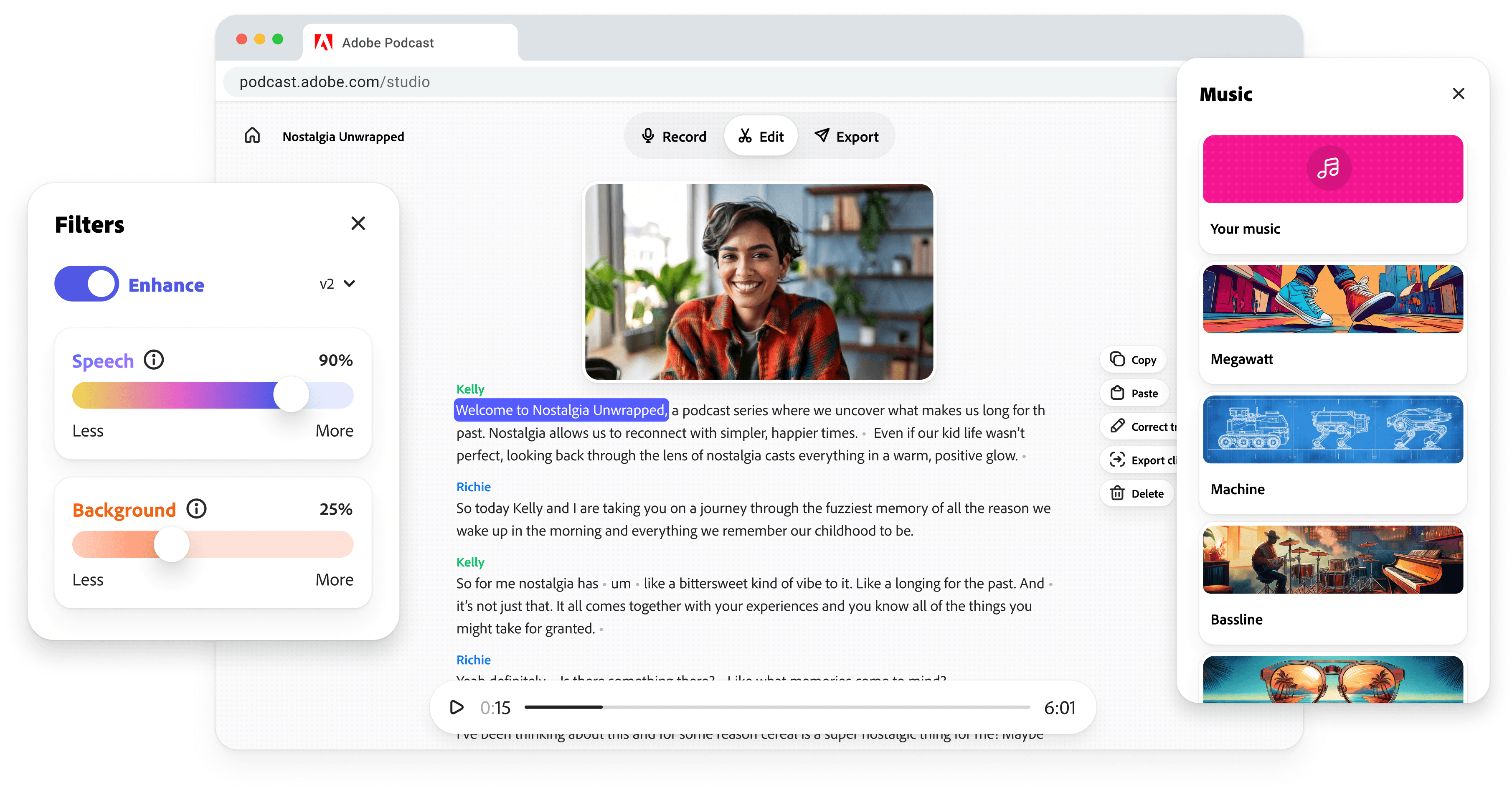
Building Adobe Podcast
Role
Solo design lead
Timeframe
2020-2026
Team
~10 person team run like a startup in Adobe's incubator
TLDR
A storytelling-first podcast tool with AI that helps you sound your best
It started with a voice in my ear
The voice of Mark Webster, a serial entrepreneur turned Adobe product leader. We were recording a podcast to pitch an idea: Adobe should build a tool for podcasters that isn't about audio, but instead about the stories people want to tell.
Mark and I were both believers in the role voice and sound plays in digital experiences. Adobe had acquired Mark's voice prototyping company, Sayspring, and I had recently finished redesigning my website to be all about spatial audio.
Our pitch podcast was written for Adobe's Chief Product Officer, Scott Belsky. Using a podcast to pitch a podcasting tool was meta, but felt appropriate coming from the people who had spent time designing design tools and prototyping prototyping tools. And to edit it, I had to use the exact clunky tools we were arguing should be replaced.
Voice of Mark Webster in the intro of our pitch podcast.
The pitch podcast explored the key problems we saw aspiring podcasters face. Let's walk through them.
Problem
Difficult software, expensive equipment
Existing tools required countless hours on YouTube to learn the ropes. Prospective podcasters were asked to shell out thousands of dollars for entry-level equipment: microphones, audio interfaces, cameras, soundproofing, and more.
Insight
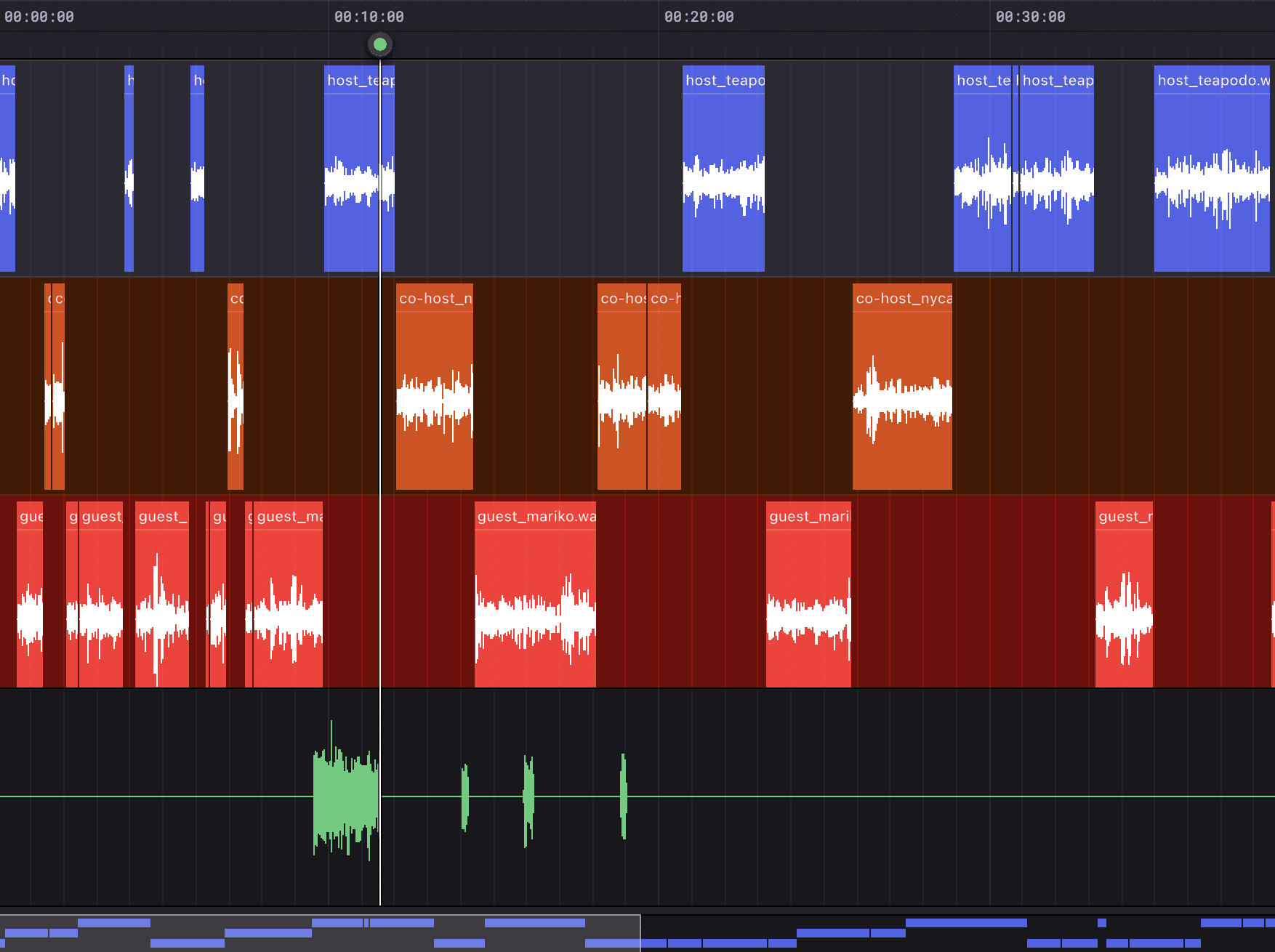
People think in words, not waveforms.
Major editing tools use time-based waveforms for editing. These waveforms only show volume over time, so it's difficult to make edits. It borrows the metaphors of cutting analog tape from before digital tools existed.
Insight
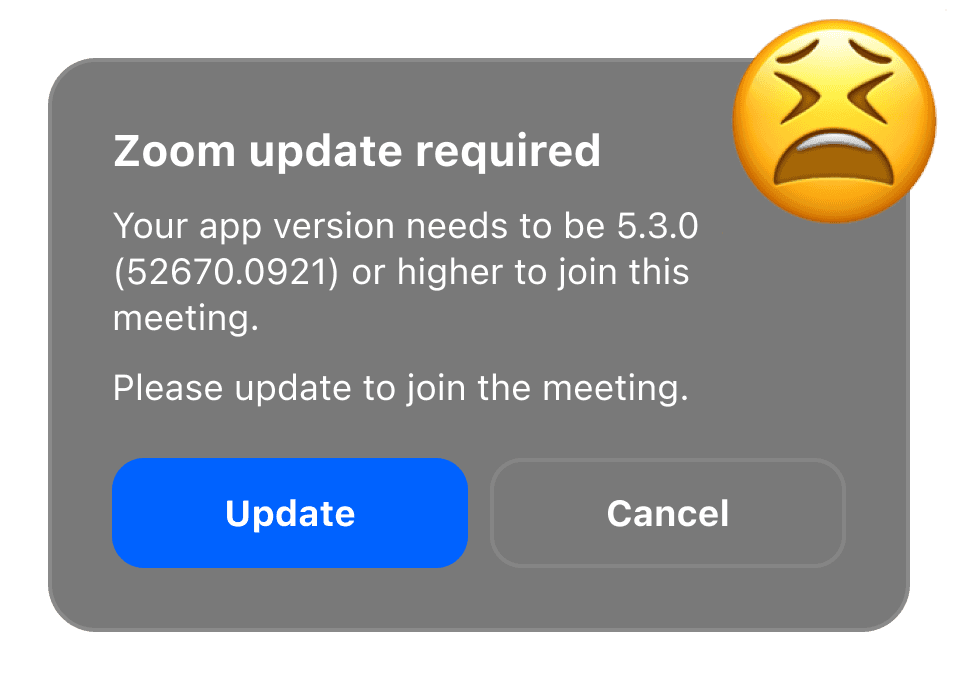
Conversations degrade when tech gets in the way.
Podcasters need ways to record when guests can't be physically present. Zoom was a stop-gap for many podcasters. If your guest has technical difficulties, the conversation suffers.
Insight
Quality is a credibility signal.
Things like echoey voices, humming air conditioners, and traffic noise are distracting for podcast listeners. Even beginner podcasters know that listeners expect high quality audio.
“The amount of time I've lost waiting for an ambulance siren to pass… it's immeasurable.”
– Paolo
A startup inside Adobe
Scott listened to our pitch podcast and was on board. Scott's trust in our team set us up to operate like a startup: roughly ten people, full autonomy, and no presenting our roadmap or designs to executives. I was the team's sole designer, so the app, marketing site, promo videos, and usability research were all on me.
We also worked closely with Adobe's audio AI research group. We helped shape model development by feeding them what people needed, and they gave us access to technology that hadn't productized yet.
Our first moves
We narrowed in on two ways to help people sound better. Mic Check was an AI model to give feedback on voice recordings to help you sound your best. Enhance Speech was an AI model that could isolate and clean up voices in noisy recordings.
We also had ideas around building recording and editing tools, but those would require a much bigger technical investment. Don't worry, they'll be back.
Mic Check
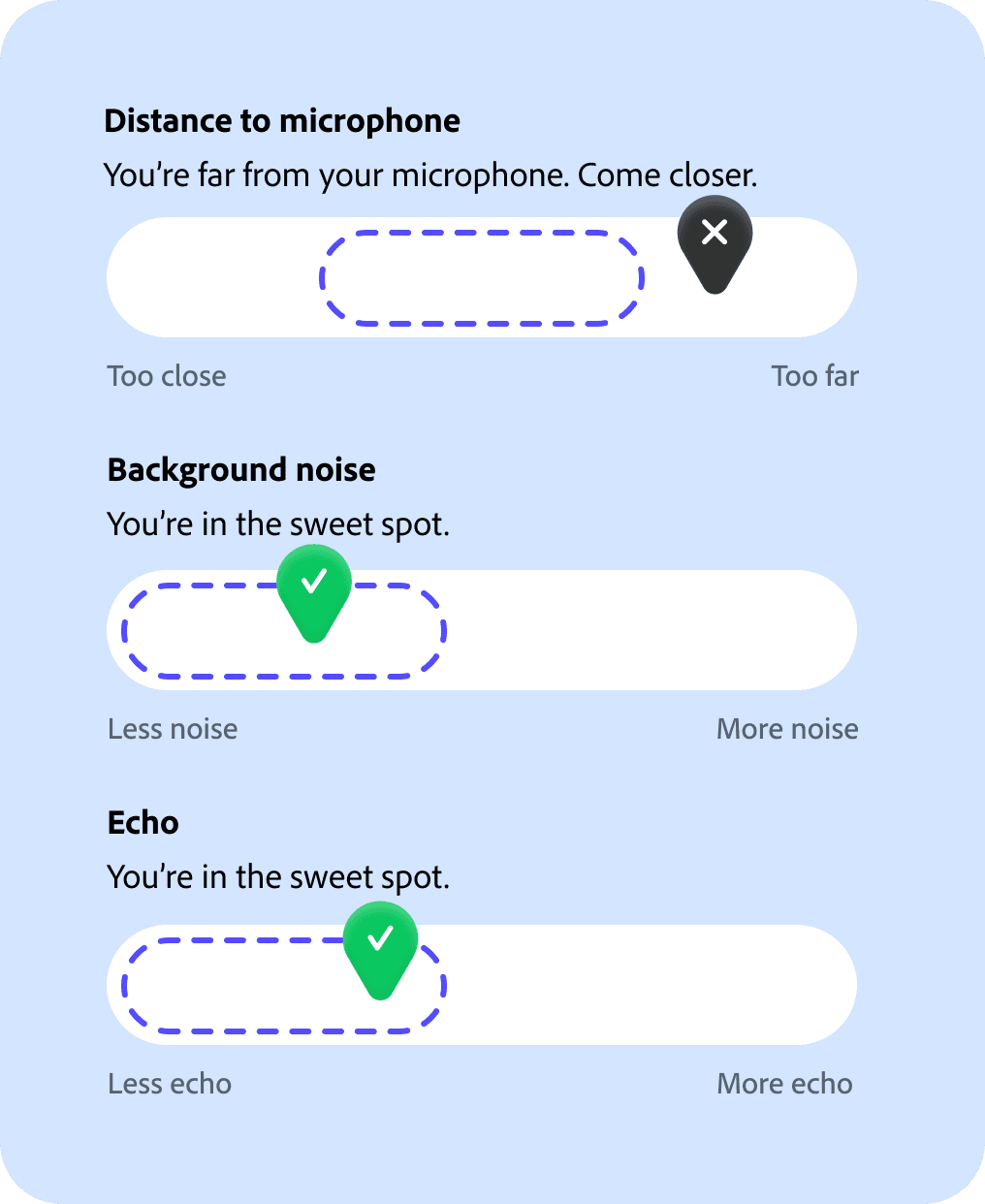
Dial in your recording setup with tailored feedback.
We learned that creators can get better quality by changing how they record, even with the setup they already have. Mic Check listens to you and tells you what to adjust.
Enhance Speech
Sound like you recorded in a studio, even if you were on a subway platform.
No fancy microphone or soundproofed room required. I worked alongside Adobe's audio research scientists throughout the model's development. I stress-tested it against the worst recordings I could find and iterated with the researchers until it held up.
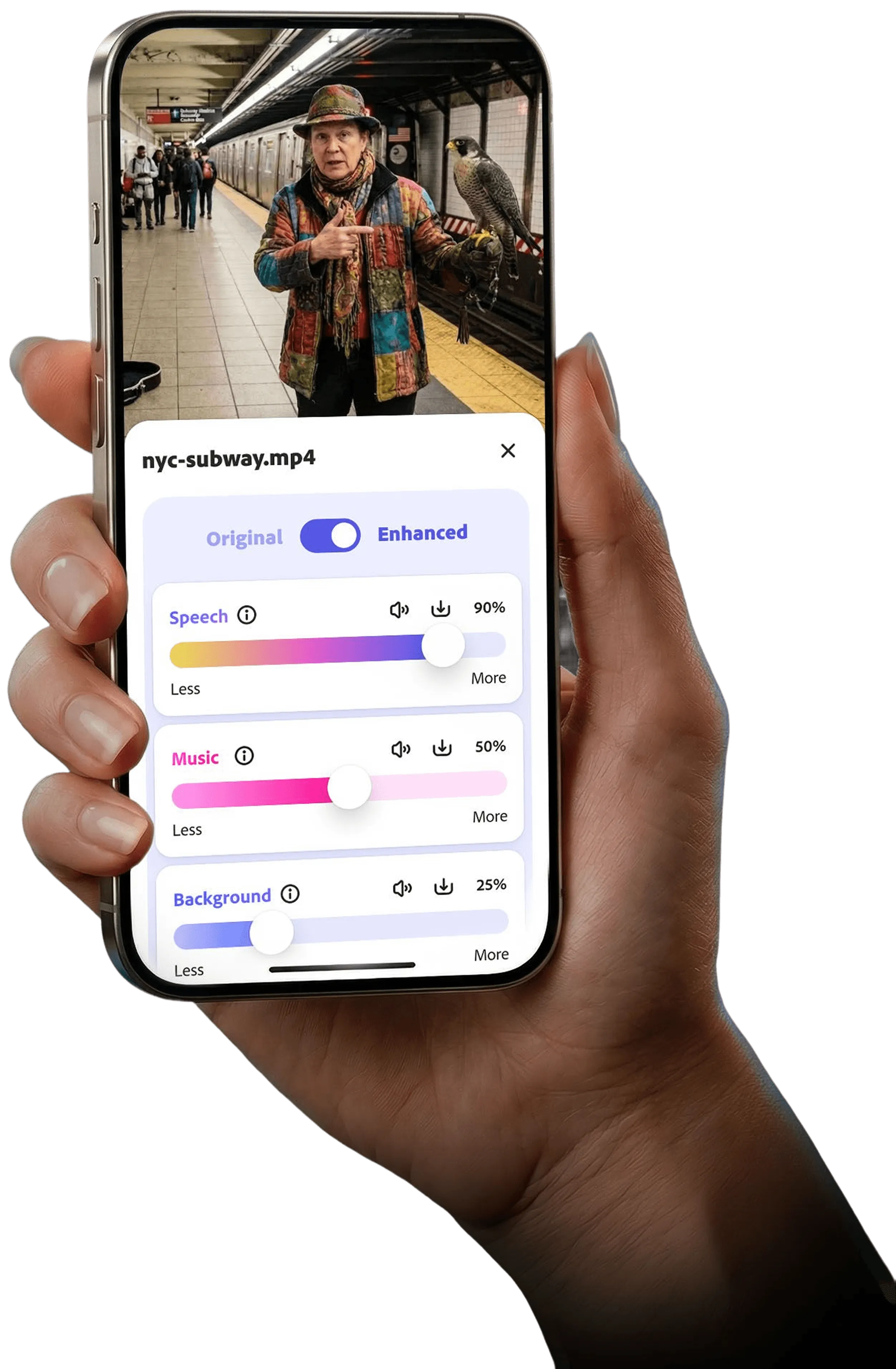
A demo of Enhance Speech. Everyone on our small team wore many hats. I made update videos like these and even handled customer support for some time.
The turning point
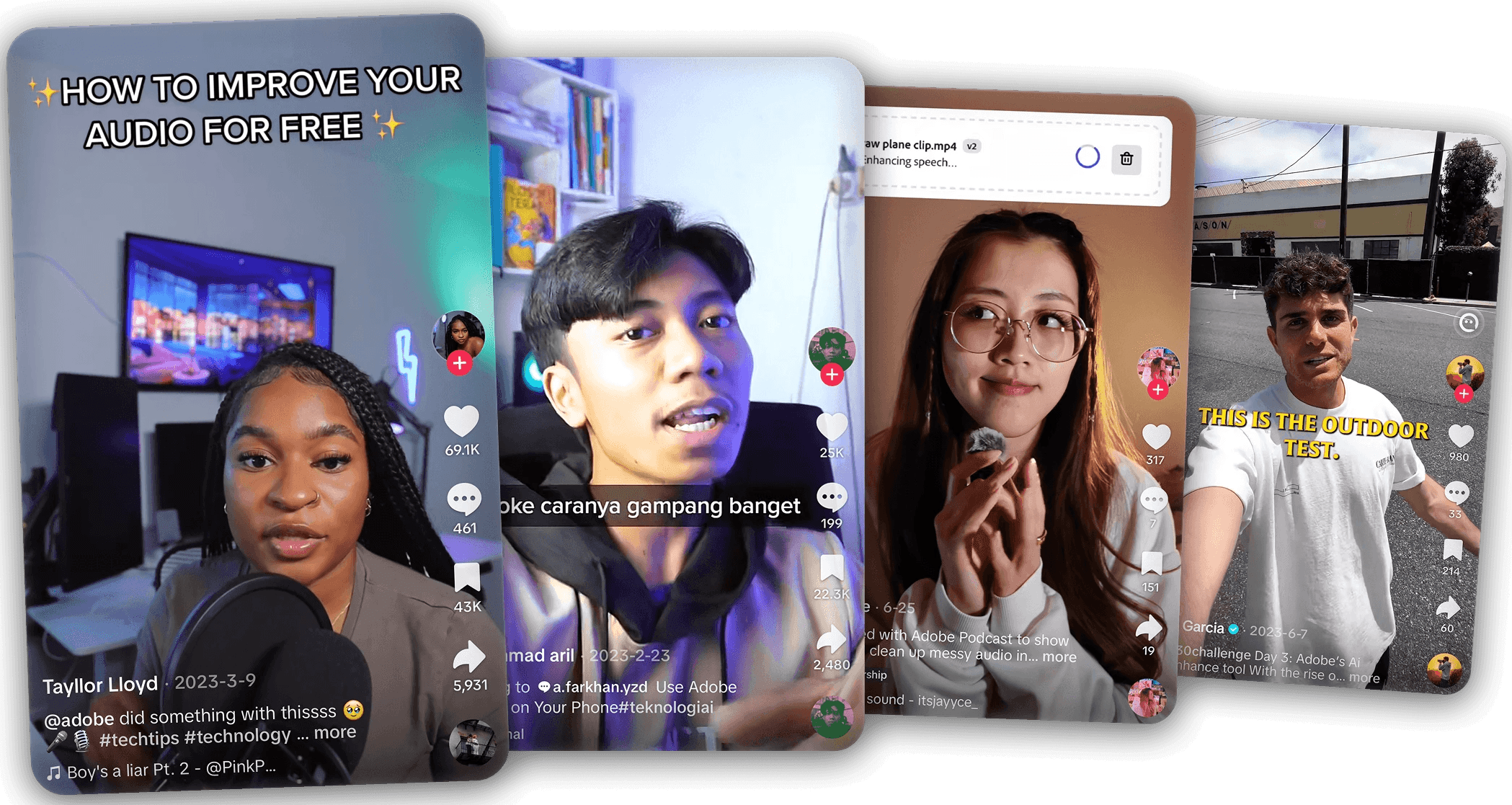
Creators shared before-and-after clips of Enhance Speech on social media, and it went viral. Mic Check didn't.
Mic Check was a decent tool that worked well, but it never gained the same traction as Enhance Speech. As Enhance Speech improved, Mic Check mattered less. Enhance Speech's AI got good enough that it didn't matter if your mic was cheap or your room was echoey. Enhance Speech would clean it up anyway.
That made something click. Enhance Speech made the problem Mic Check solved irrelevant. If our tools could replace a studio-quality microphone, what else could they replace? Maybe a recording studio? Or how about hours of manual editing? That became Studio, our next challenge.
Podcast Studio
The all-in-one podcasting tool on the web.
Record with others
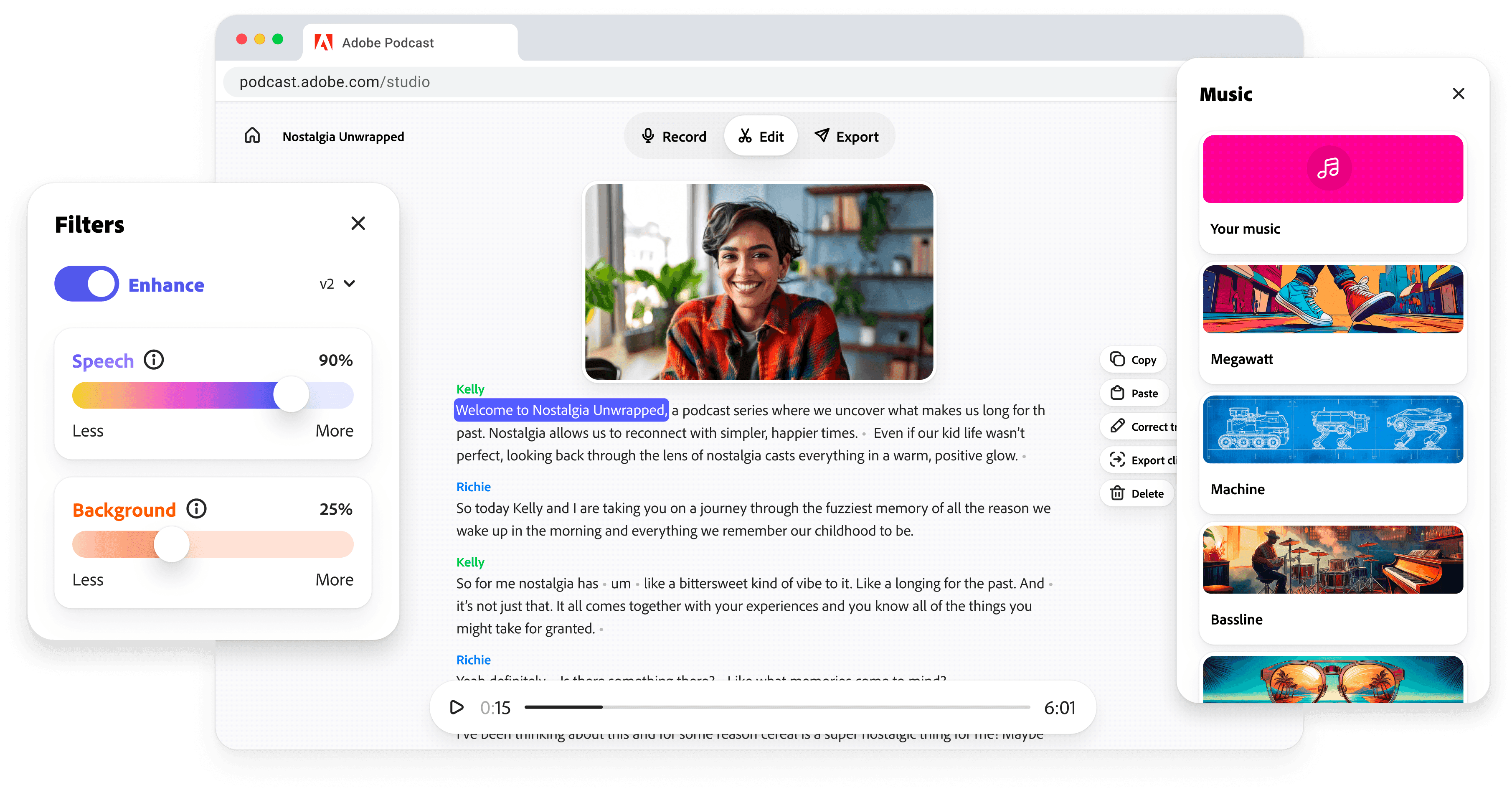
We built recording directly into Podcast Studio so hosts could focus on the conversation, not the tech.
Hosts can record solo, or with guests by sharing a link. Most podcasters were using Zoom as a stopgap for remote recording, but it introduced audio quality issues and technical hiccups that derailed conversations.
Guests join through a simple link with no sign-in required, and we guide them through microphone and camera setup so hosts aren't stuck playing IT support.
Edit like a doc
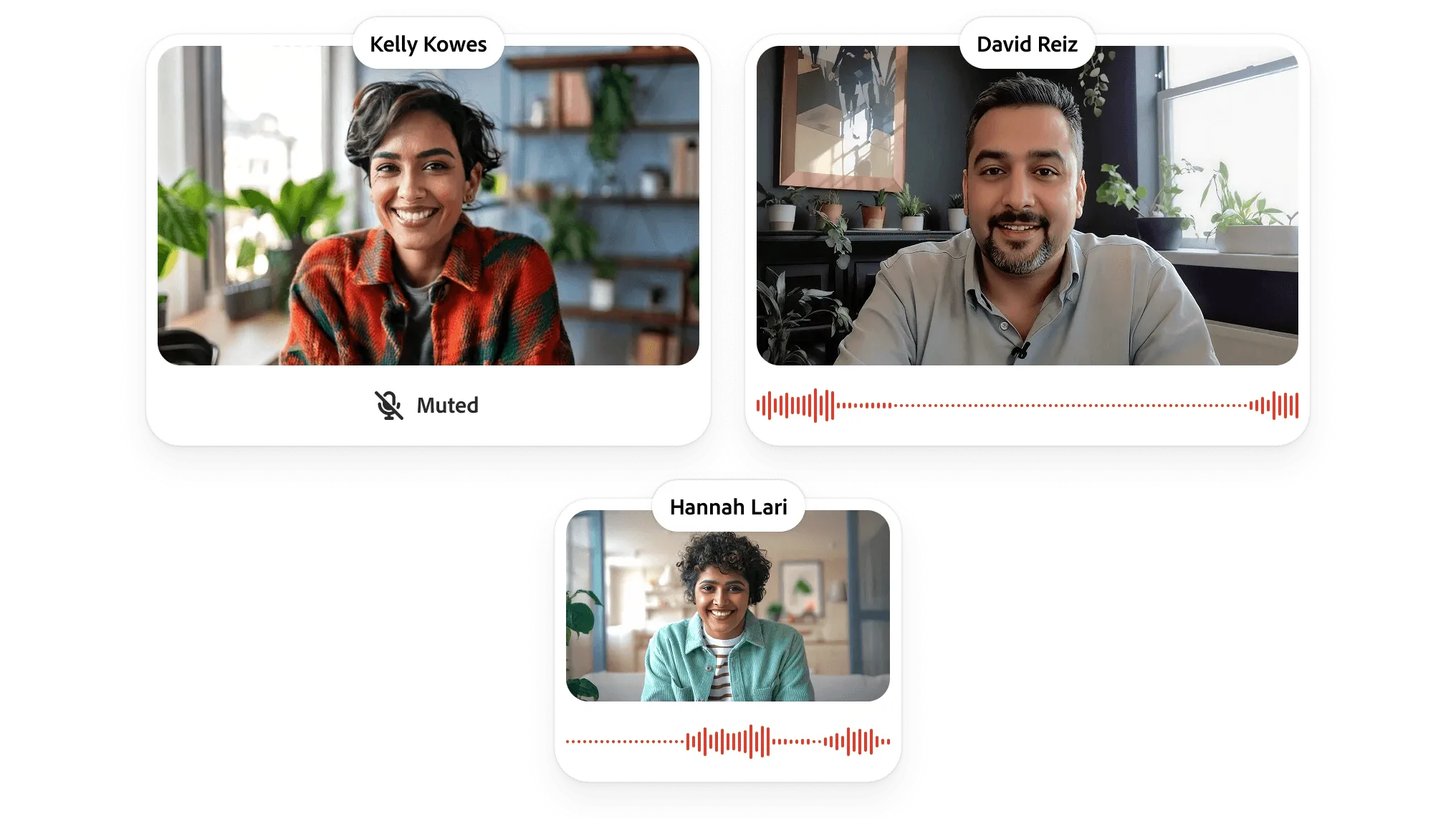
Cut, copy, paste and the audio follows.
Nailing this under the hood was difficult because video and audio doesn't cut as cleanly as text looks. We apply techniques pros use to make edits sound smooth, like micro-crossfades and letting music breathe for a second before narration starts.
Old
New
A principle that guided a lot of Studio's design: don't be subtle. An earlier version of our action menu only had icons, and showed labels on hover. But people didn't immediately understand what the buttons did, so they wouldn't click them. The cost of being too clear is zero, while the cost of being too subtle is someone never discovering a feature.
Share your story
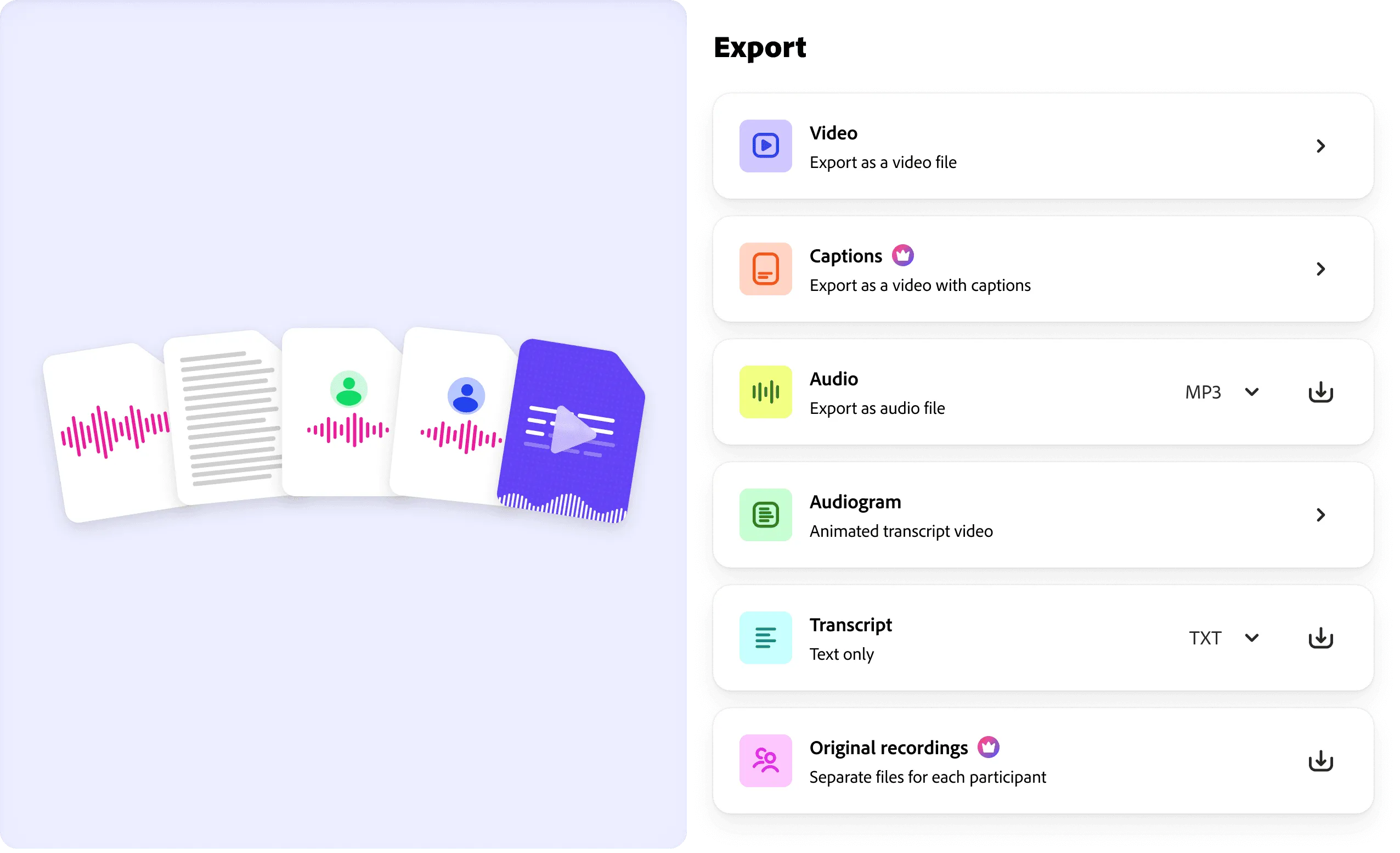
We built Adobe Podcast to be medium-agnostic. It isn't a video or audio tool, it's a storytelling tool. So when it comes to exports, creators can choose the medium that serves their story best. Share a clip, add captions, get the transcript, or even download the source files.
Shipping Studio
We bet that transcript-based editing would be more approachable than waveforms, and it was. Making editing look like a document or a group chat meant people expected it to behave like those things. That taught us to be intentional about where the metaphor served podcasters and where it needed iteration.
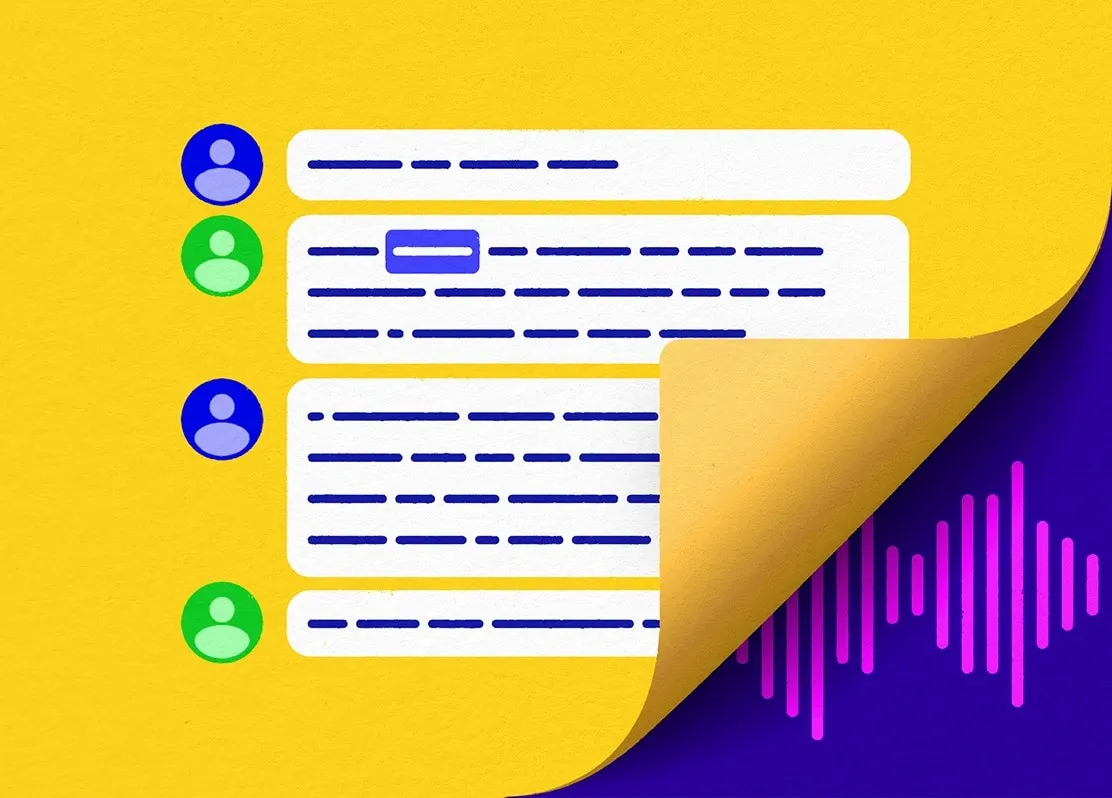
“It’s conversational style, which is very helpful for editing… it gives you a chat feel. Especially for interviews of if we have five or six guests in here. That’s extremely helpful.”
– Ginnefine
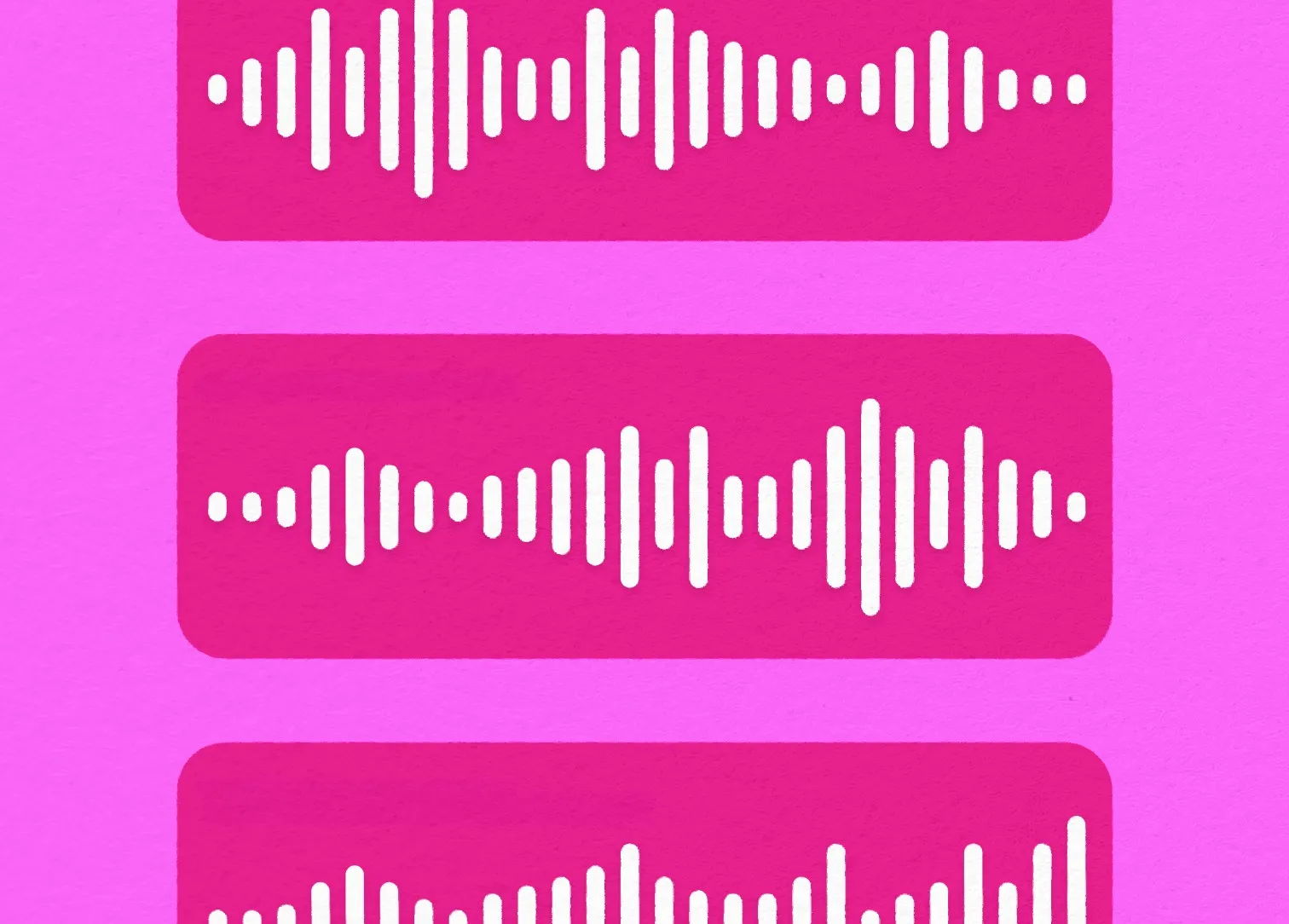
Adobe Podcast has opinions about what makes you sound good baked in. For example, you can't set the volume of background music. Beginners often get that wrong because they already know what's being spoken and unconsciously make music too loud. Fewer knobs, fewer mistakes.
That push and pull between challenging conventions and respecting them defined most of the hard design decisions on this project.


A reflection on building Podcast
Adobe Podcast started as a pitch podcast and became a product used by millions. Building from zero inside a company the size of Adobe meant constant pressure to justify our existence. Real revenue helped us stand our ground as an independent team.
To a lot of people, Adobe means pro tools, steep learning curves, and dark interfaces built for experts. We designed Podcast to feel different on purpose. Round, bright, and friendly. When people saw it for the first time, they were surprised it was from Adobe. Good! That's signal we'd something built for our target audience of anyone with a story to tell.
Every decision pointed back to the same question: does this make it easier for someone to share what they have to say? I learned to be explicit, not subtle. I learned to bake opinions into the product. And to make the hard stuff invisible.
When you design for someone with no patience for complexity, the bar is ruthless. And that's exactly what made the work good.
1M+
monthly active users
100M+
files enhanced
Interaction Design Award
Finalist, IxDA, 2022
Best Invention
TIME, 2025